

Sample
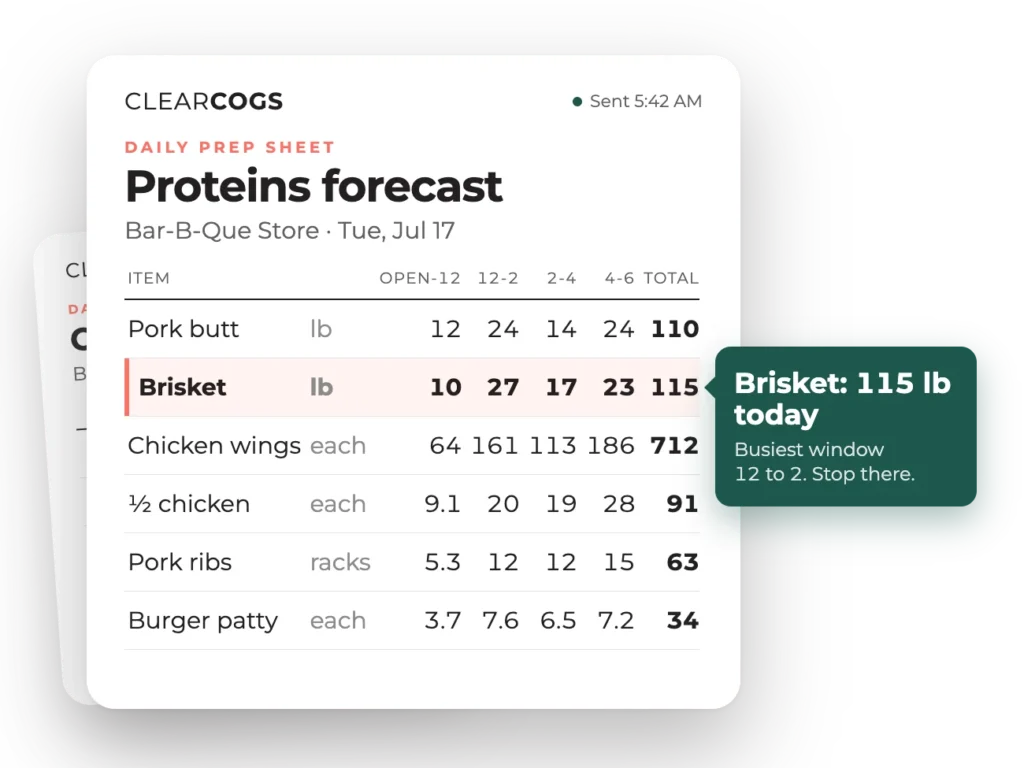
One day’s prep, in full
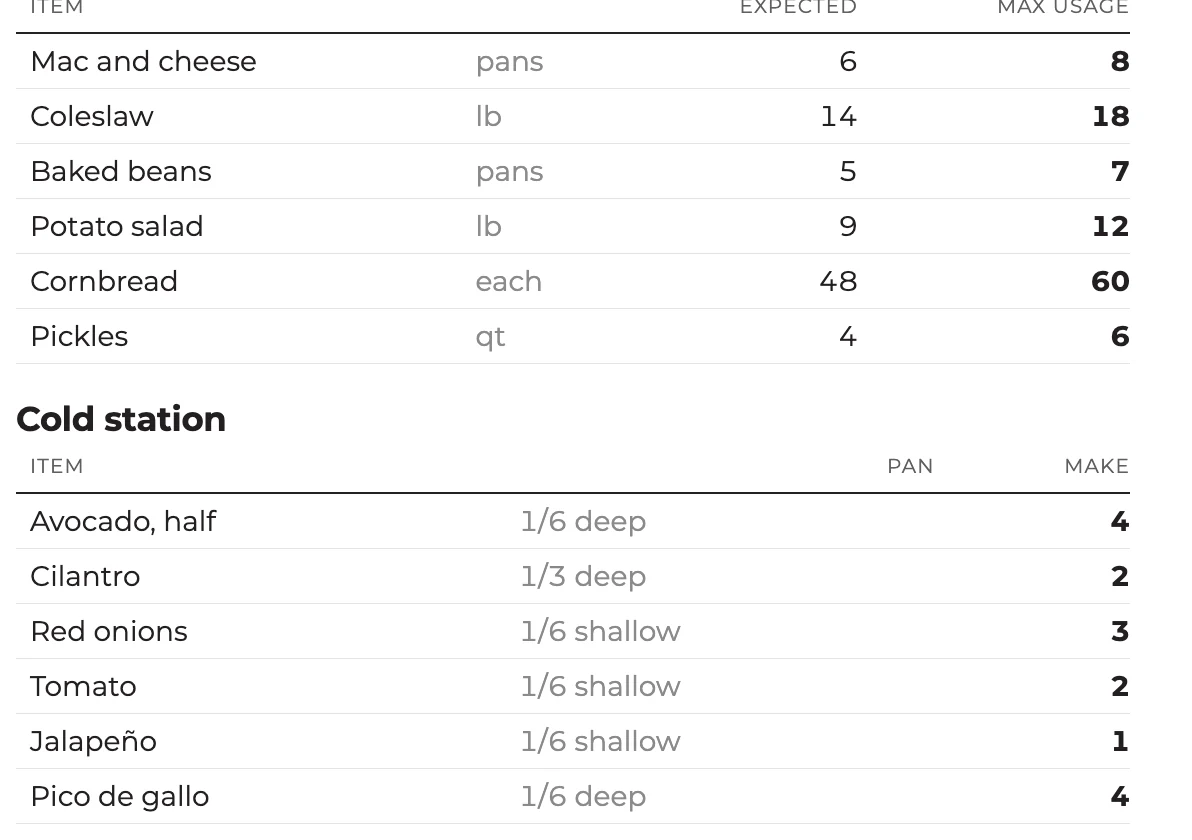
This is the sheet a manager opens before prep begins. Each row is an item on tomorrow’s menu; each column is a daypart; the total is how much to make. Quantities come from the restaurant’s own sales history, weather, events and seasonality.
- What to make: every item on tomorrow’s menu, by daypart
- How much: quantities from your own sales history, weather, events and seasonality
- Where to stop: the point past which prep becomes waste
In your kitchen’s units
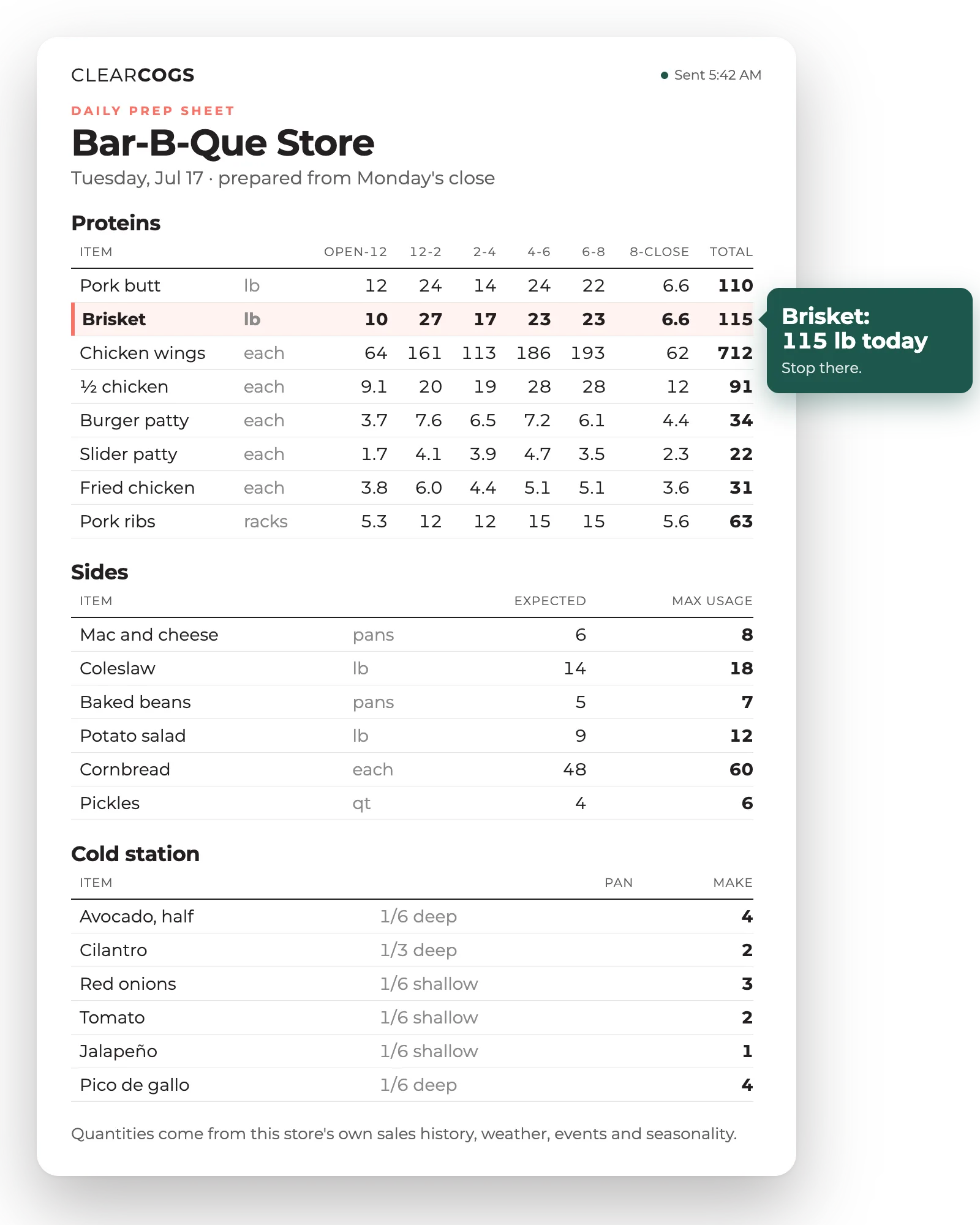
Quantities in the containers your kitchen actually uses
A pan can mean anything. The sheet speaks in the sixth-pans, squeeze bottles, racks and batches each location really preps in, so nobody converts in their head at 6 a.m.
- Containers and production units are set per location, even within one brand
- Multi-day items carry their shelf life, so a batch is not re-prepped tomorrow
- Low-volume items get a rough number; the effort goes into the staples that move the needle
Par and build-to
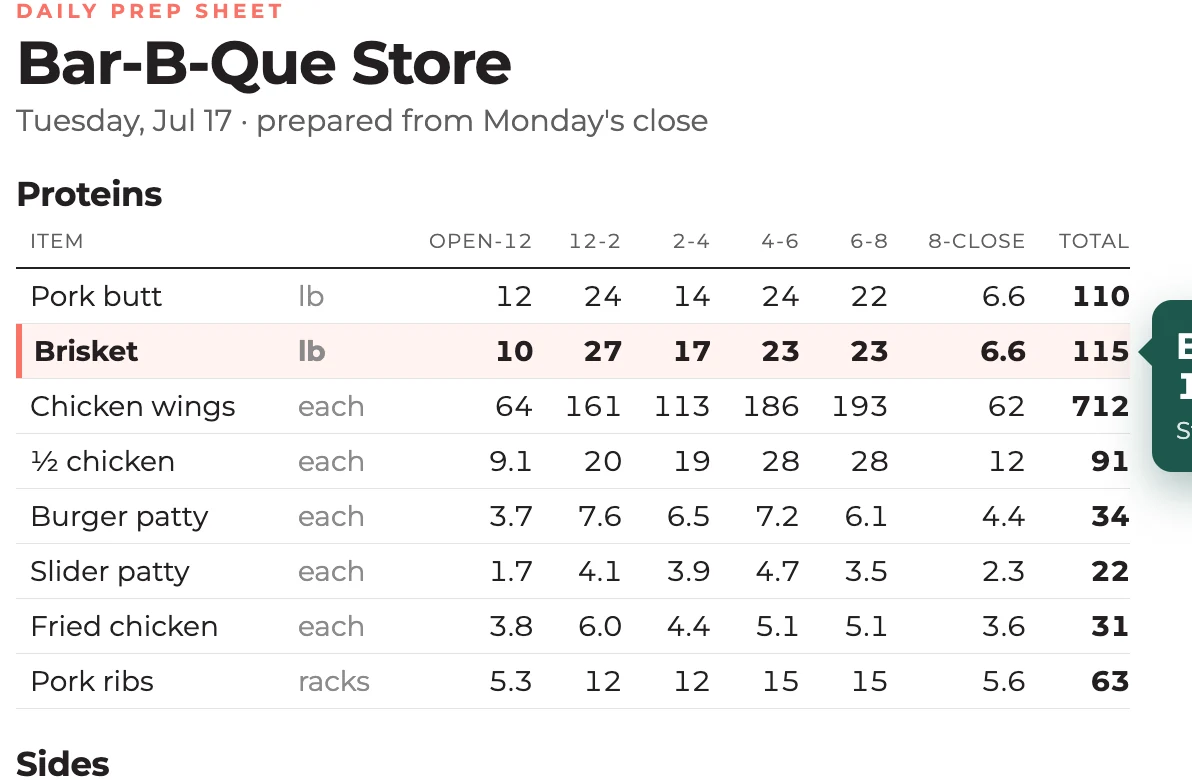
A par and a build-to number, not a guess
The sheet shows what to make and how much to get through today. Enter last night’s on-hand count and it prepares enough for the next day or two, based on shelf life, instead of topping every item up to a fixed par.
- A stop line marks the point past which prep becomes waste
- Where it helps, a range: the expected number and the safe one
- Ran out yesterday? The model recognizes a stockout in the sales pattern and does not learn a lower number from it
Dayparts and cadence
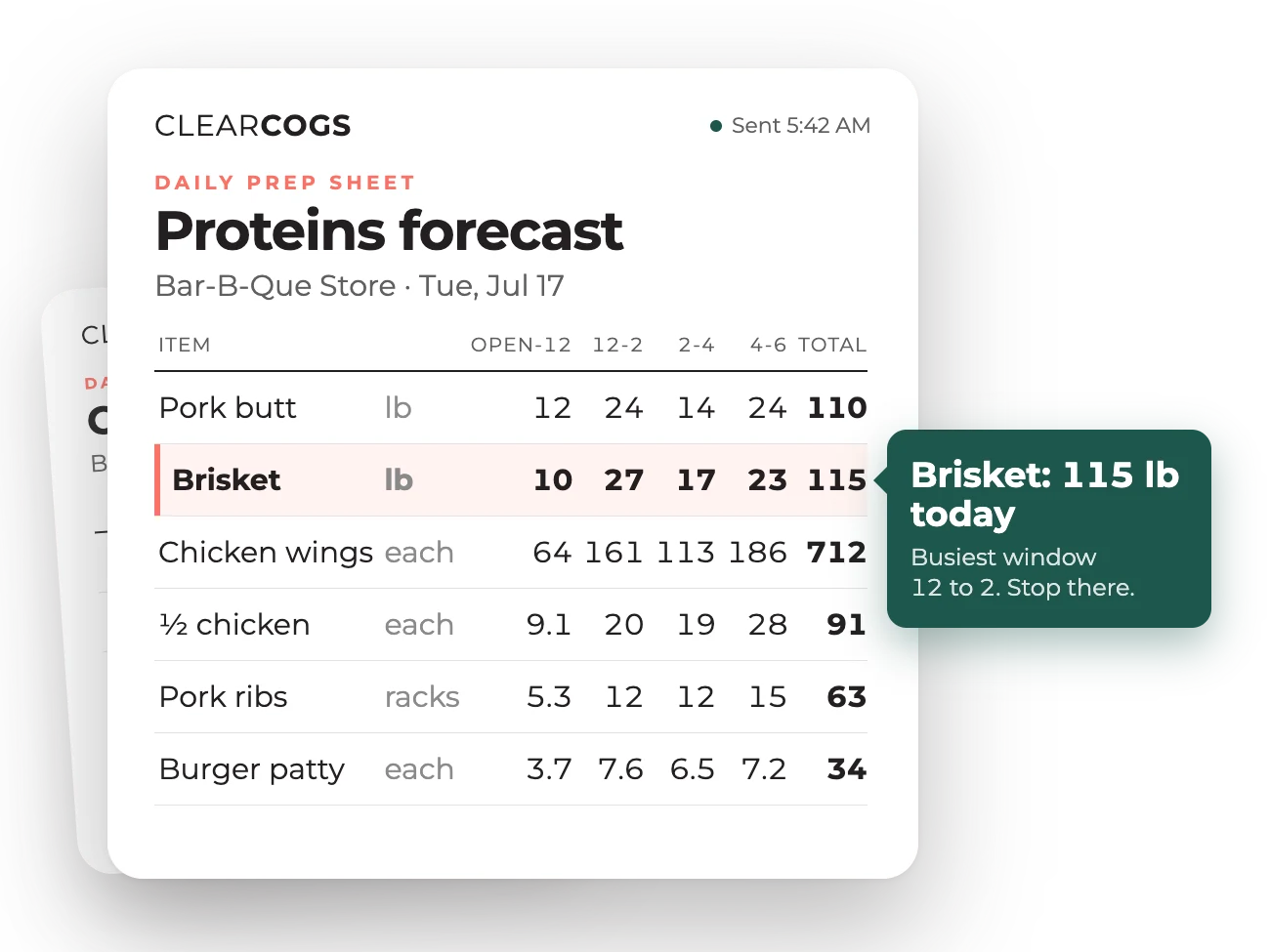
Built around how your kitchen works, not the other way around
Dayparts follow your service, down to the last two hours before close if that is what matters. Some stores get a morning prep report, a midday or shift-change report, and a pull-thaw list in the evening.
- Arrives by email, into the sheet your team already uses, on a tablet, or by API
- Prints in the format your line is used to, configured per location
- Counts are sanity-checked against what should be there, so a fat-fingered number is caught
Two years of your own POS transactions, refreshed every day, plus seasonality, holidays, weather and the local events around each store. Recipes come in whatever format you already keep them.
Tell us before launch so the item is mapped to its recipe. The model starts from how similar launches behaved and your read on what the item will cannibalize, runs a little hot for the first days, and is usually dialed in within a week. The end of a promotion is handled the same way.
No. The forecast is built on what you actually sold and used, not on what you threw away. Waste can be captured, through a zero-dollar POS button or an on-hand entry, and it feeds ordering and waste reporting rather than the prep forecast.
A stockout shows up in the sales pattern. The model recognizes it, fills in the demand you would have sold, and does not learn a lower number from a day you ran short.
Enter on-hand counts the night before or the morning of. See the holidays the model assumed and tell us when one does not apply to you. Adjust a day’s sales expectation and the change flows through prep and ordering. In the first month we check in about twice a week to calibrate bin fills, containers and buffers with your GMs.
About three weeks from kickoff to the first numbers, on a read-only POS connection, with no change to how your team rings sales.
Bring one prep, ordering, or labor problem. In 20 minutes, we’ll show you the reports and daily plan your team could use to tackle it. Nothing to prepare or connect beforehand.